Concept demo for the Kidi brief · Tirana

After-school activities that fit your family week.

Parents find, compare and book swimming, football, art, coding and more for each kid. Centers answer requests and chat with parents. You approve which centers get in.

  • 3 rolesparent, center, admin
  • 1 codebaseReact Native, iOS + Android
  • EN / SQtranslation-ready

No sign-up needed: the demo opens as a parent with two kids. Centers, people and prices are sample data.

9:41▂▄▆ ◔

Live: this is the React Native code running on the web. Tap around.

On a phone? Open the prototype full-screen. On Android, install the APK (arm64 + x86_64, about 40 MB).

What the demo covers

Three sides of Kidi, working together

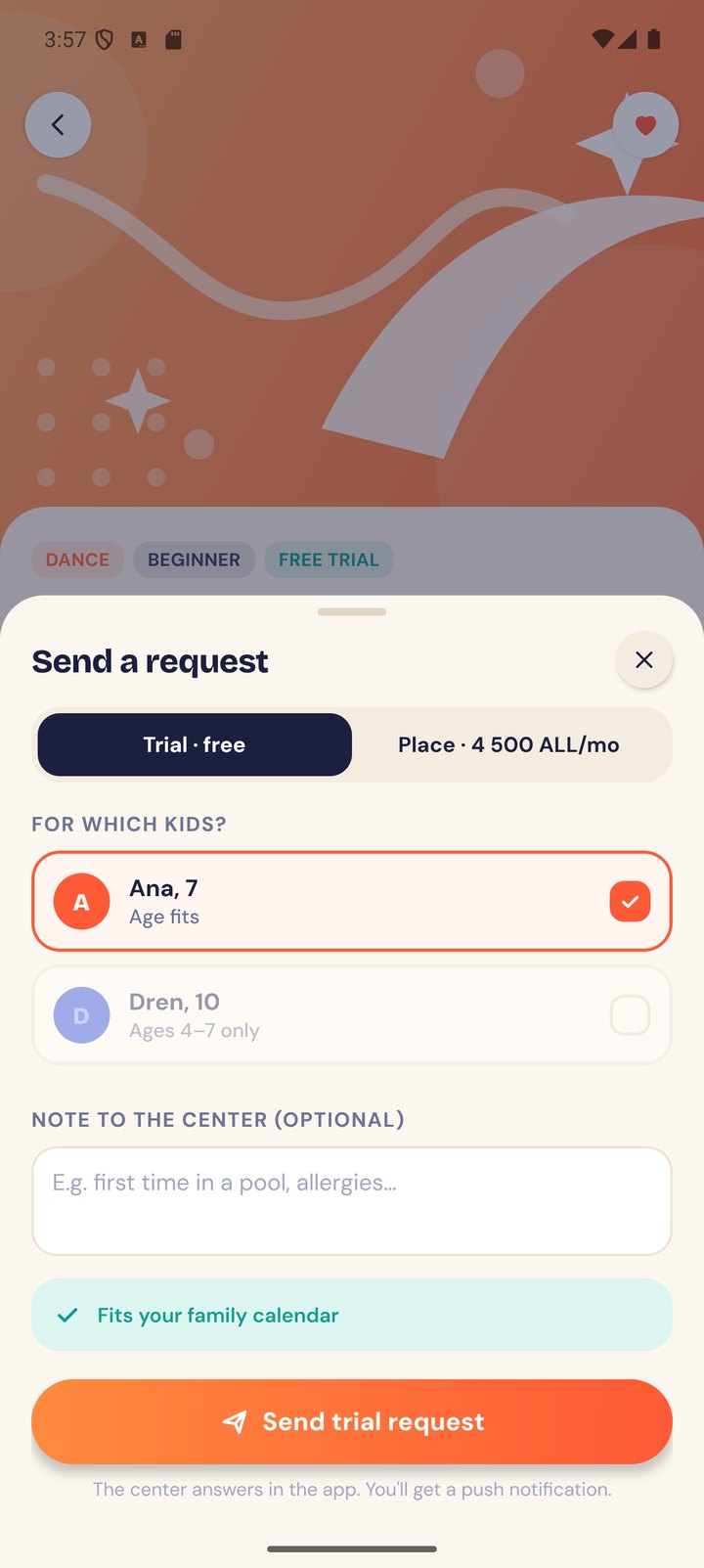
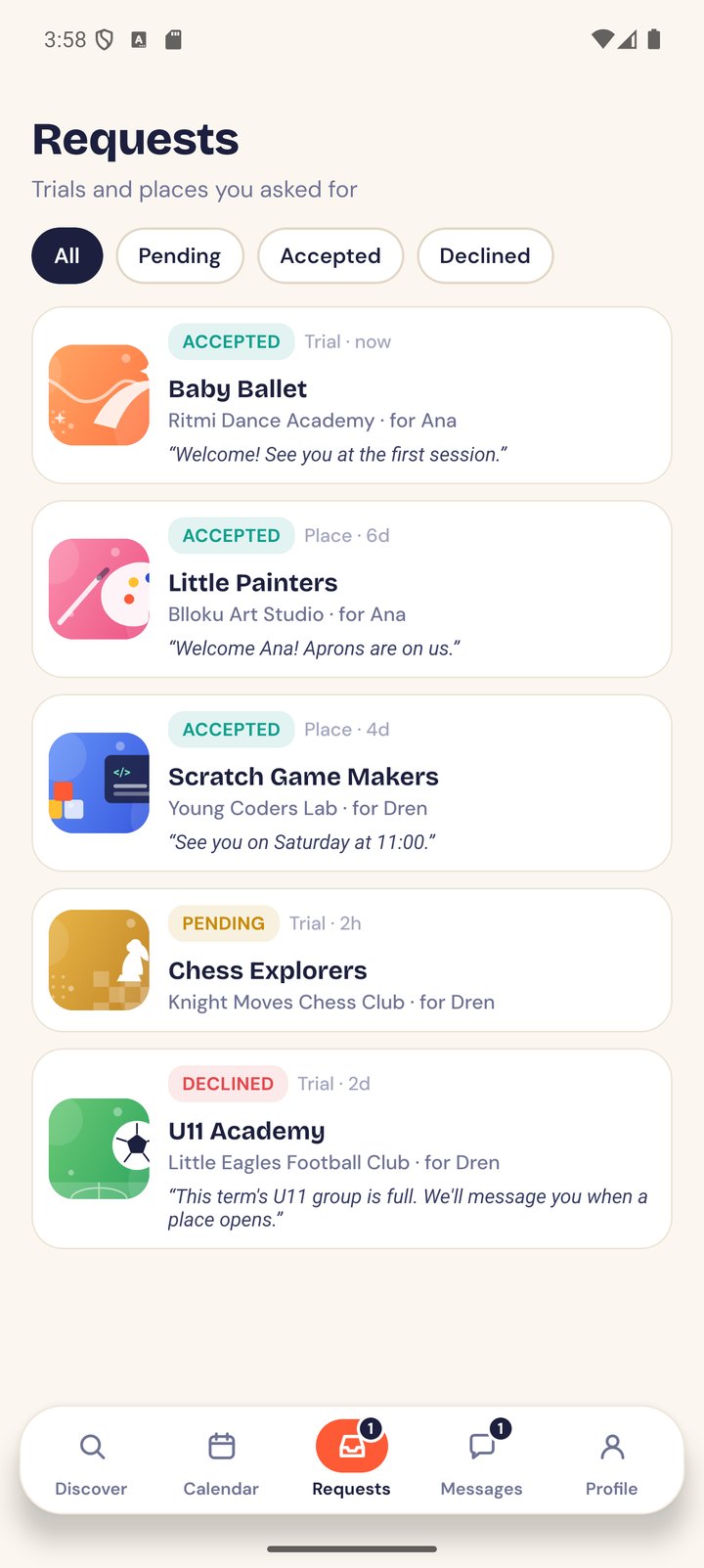
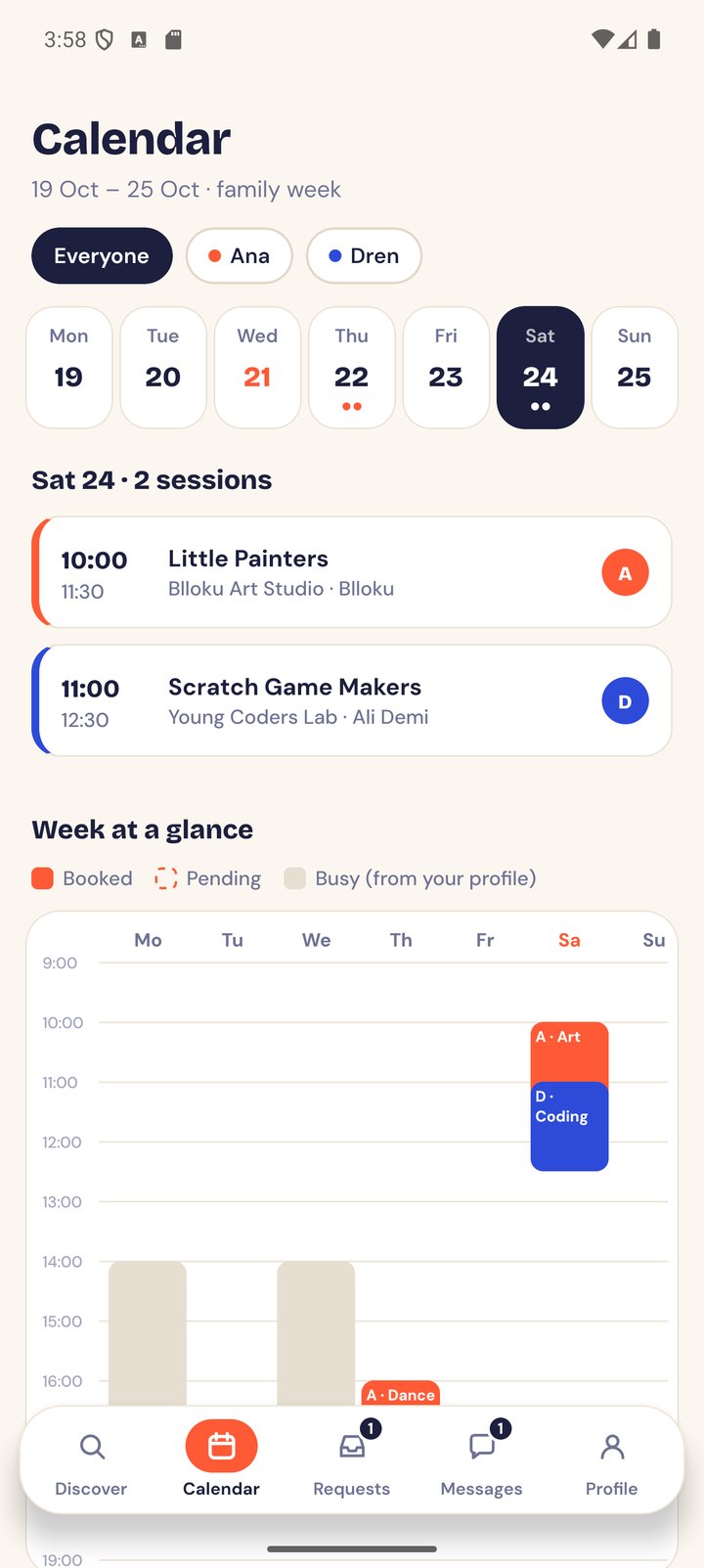
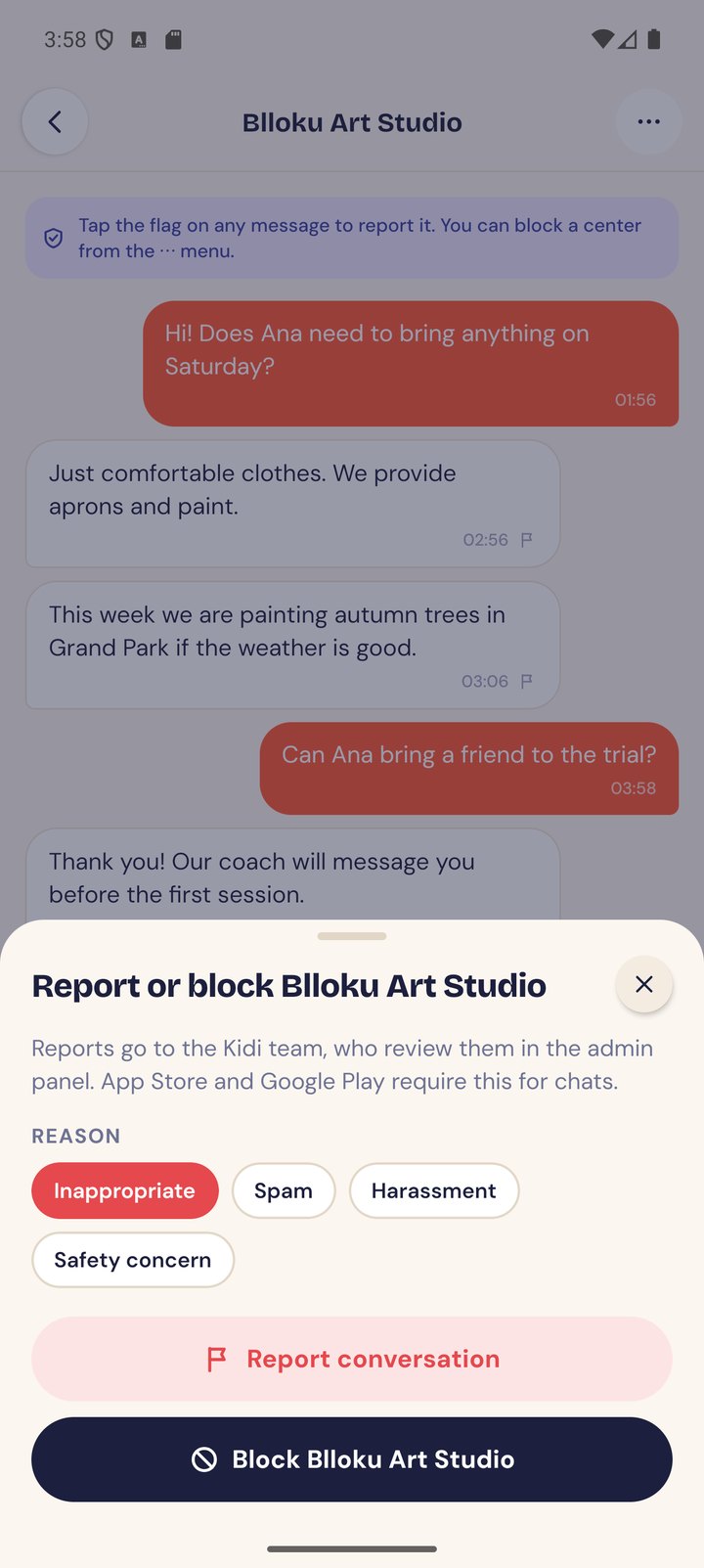
Send a trial request as Elira, switch to the center view to accept it, and the parent gets a push and a calendar entry. Report a chat message and it is the kind of item the admin panel moderates.

Parent

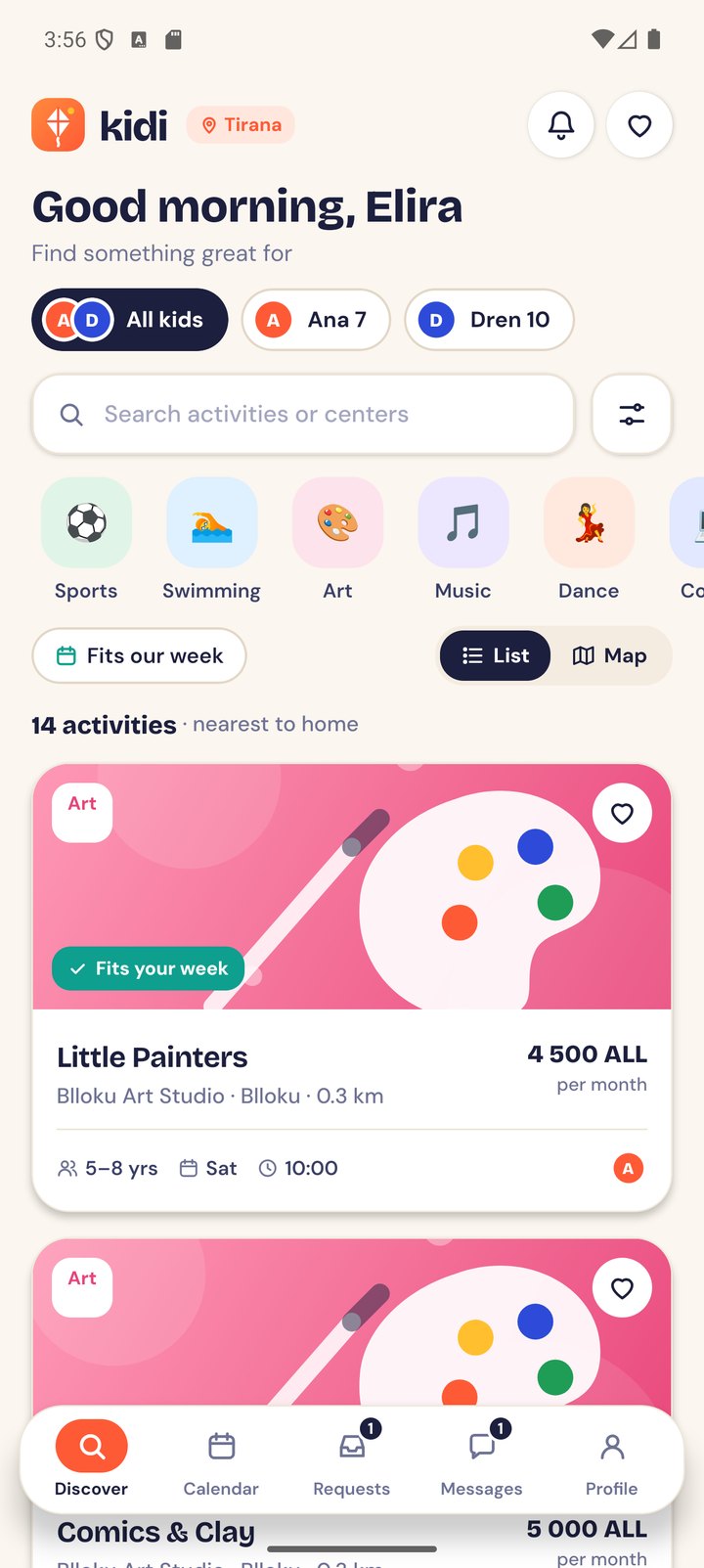
Find, request, plan

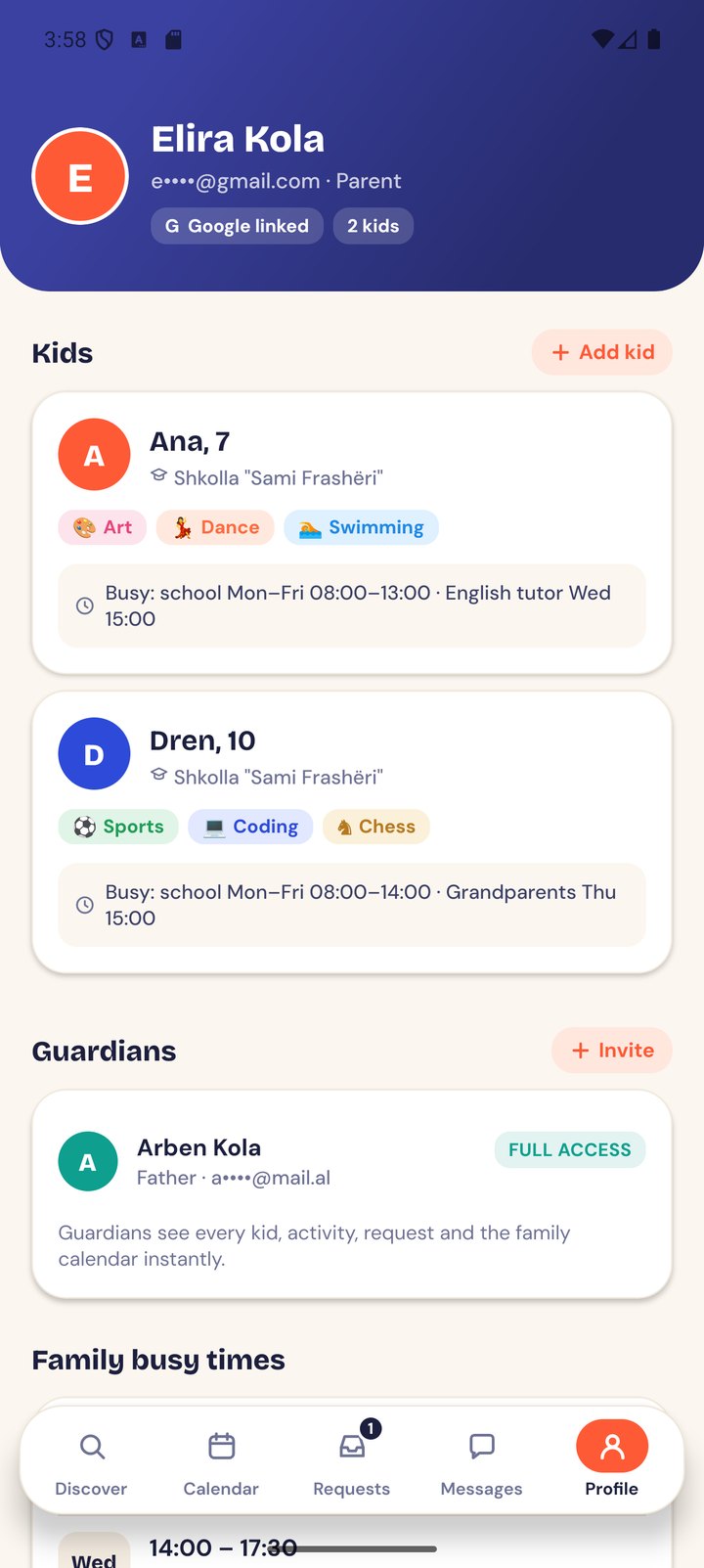
  • Kids with age, interests, school and busy times
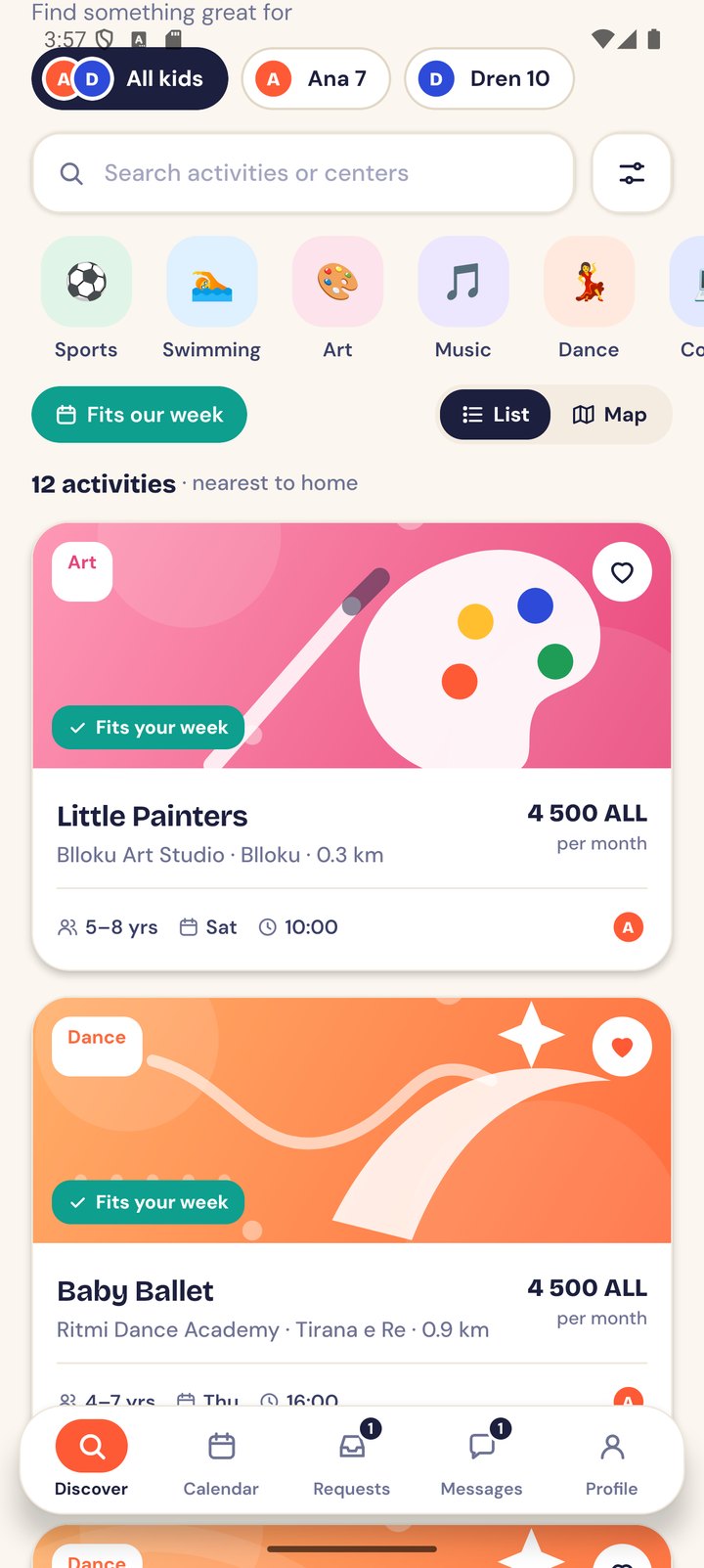
  • Search + filters: category, day, time, price, distance from home, work or school
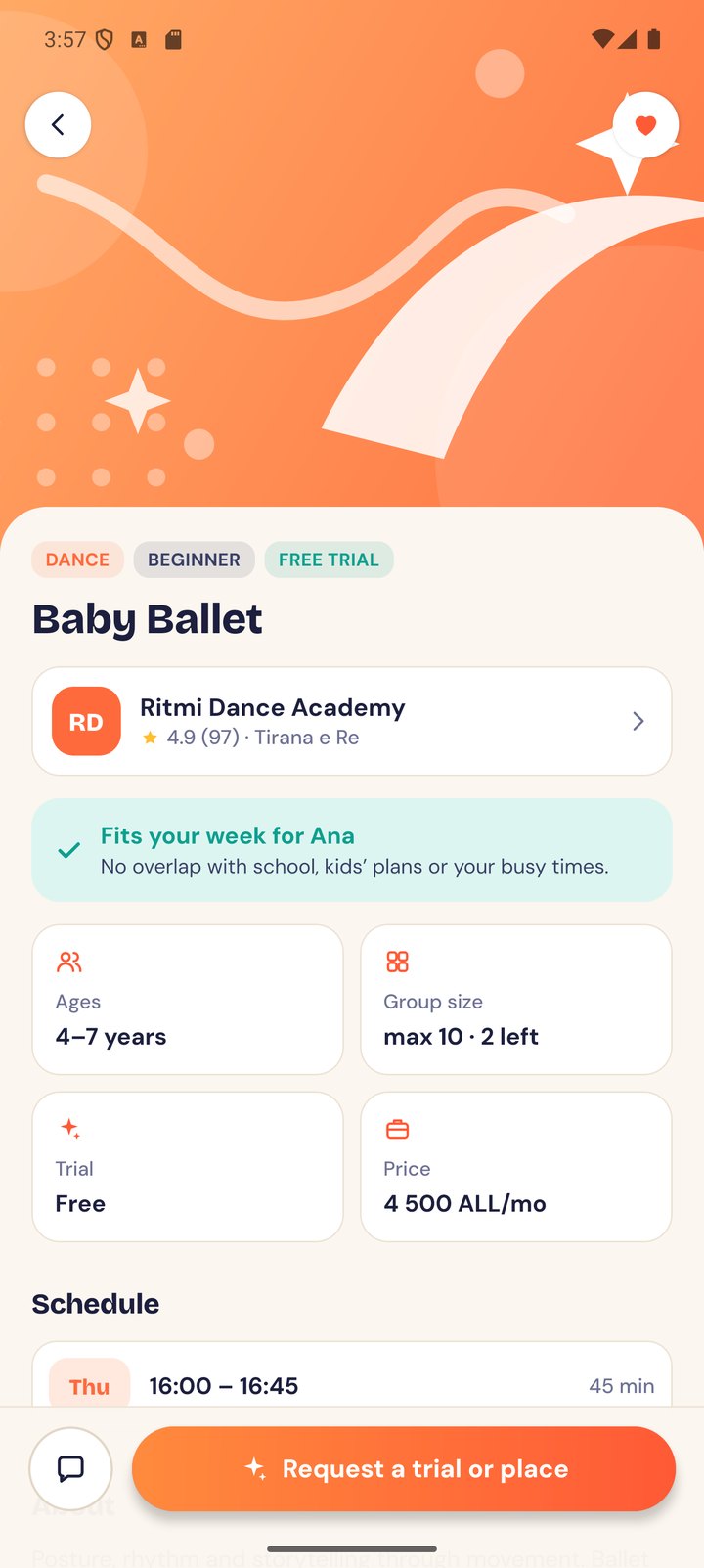
  • “Fits our week”: hides activities that clash with school, kids’ plans or the parents’ busy times
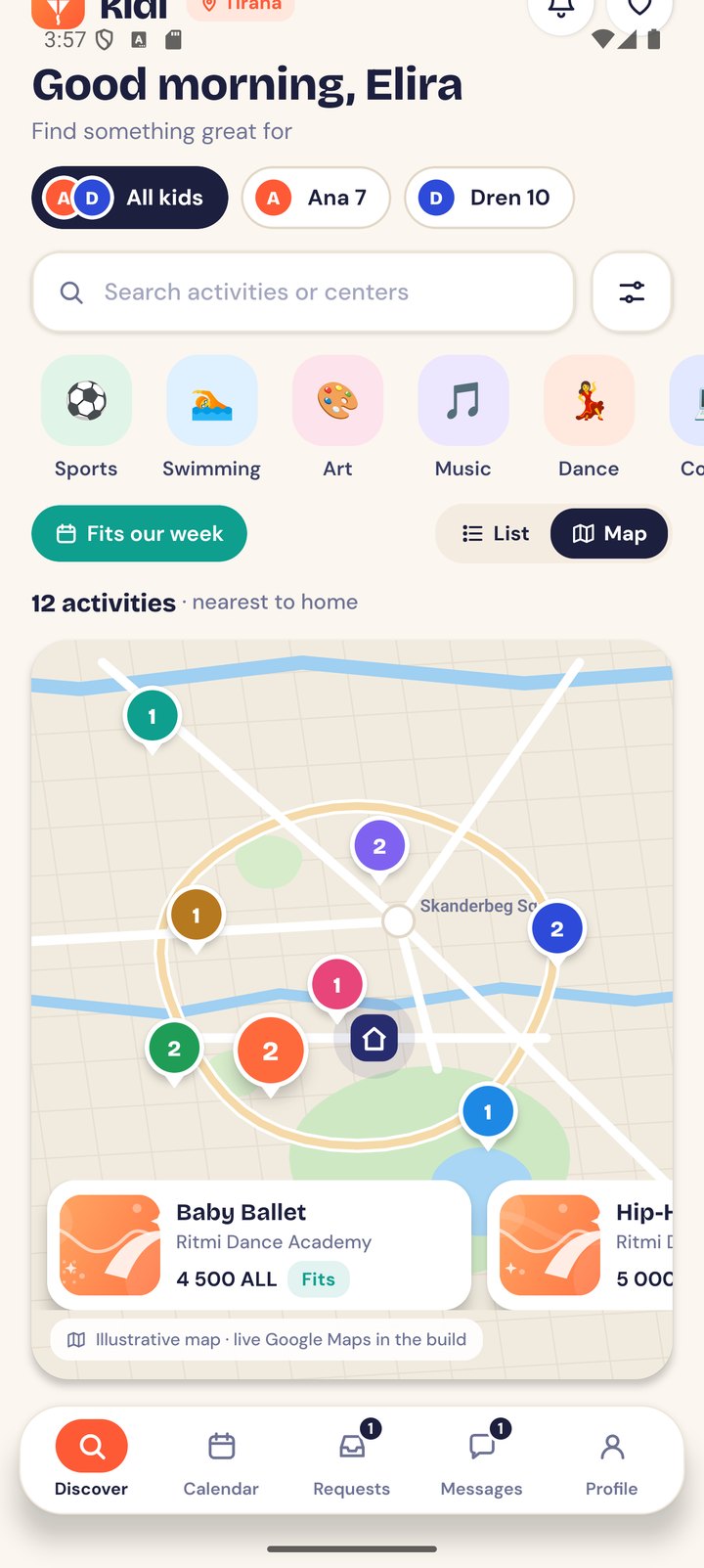
  • List and map views; tap a pin to see the activity
  • Activity and center pages, favourites
  • Trial or place requests for one or more kids, with status tracking
  • Family calendar for the week
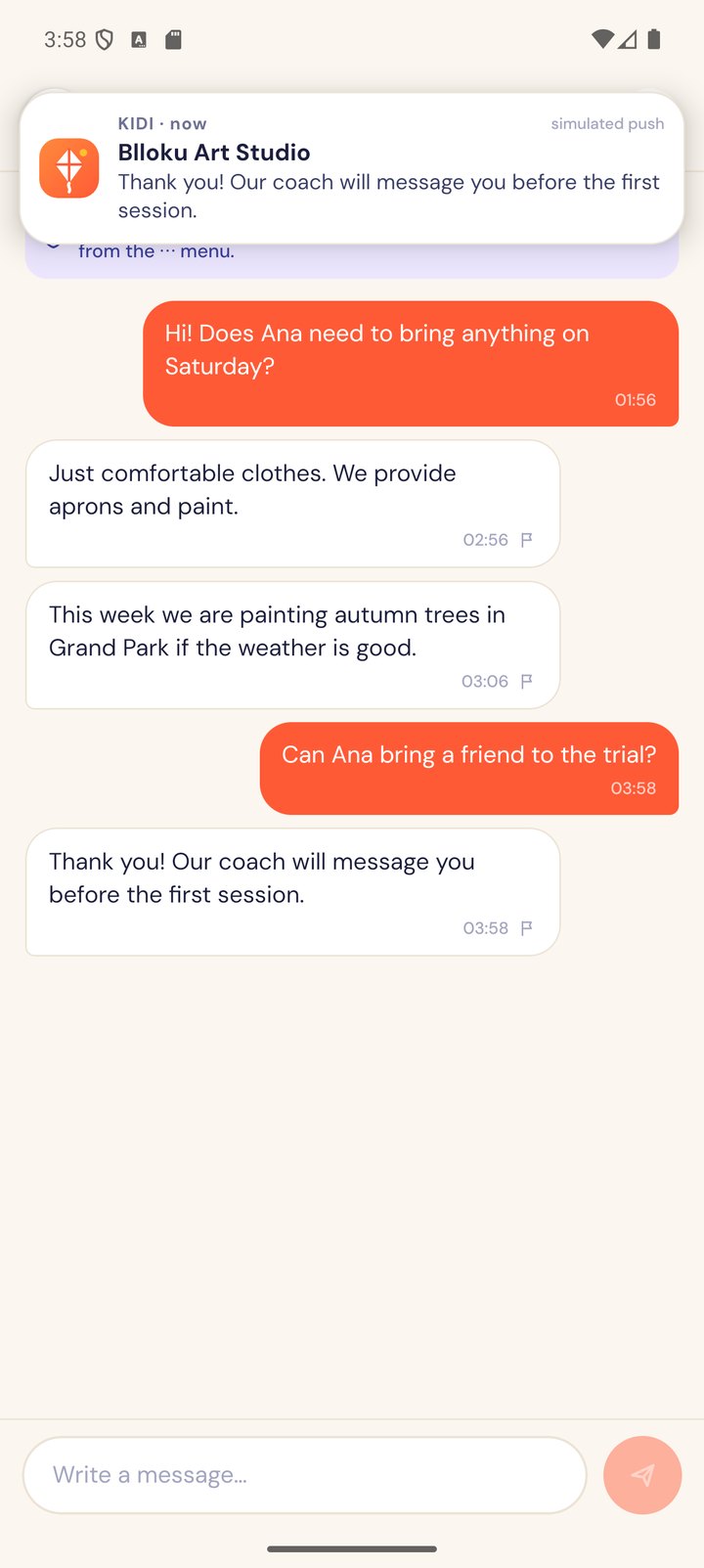
  • Chat with centers, with report and block
  • Guardians, addresses, language, delete account
Center

Answer and manage

  • Apply-to-join form (only approved centers get an account)
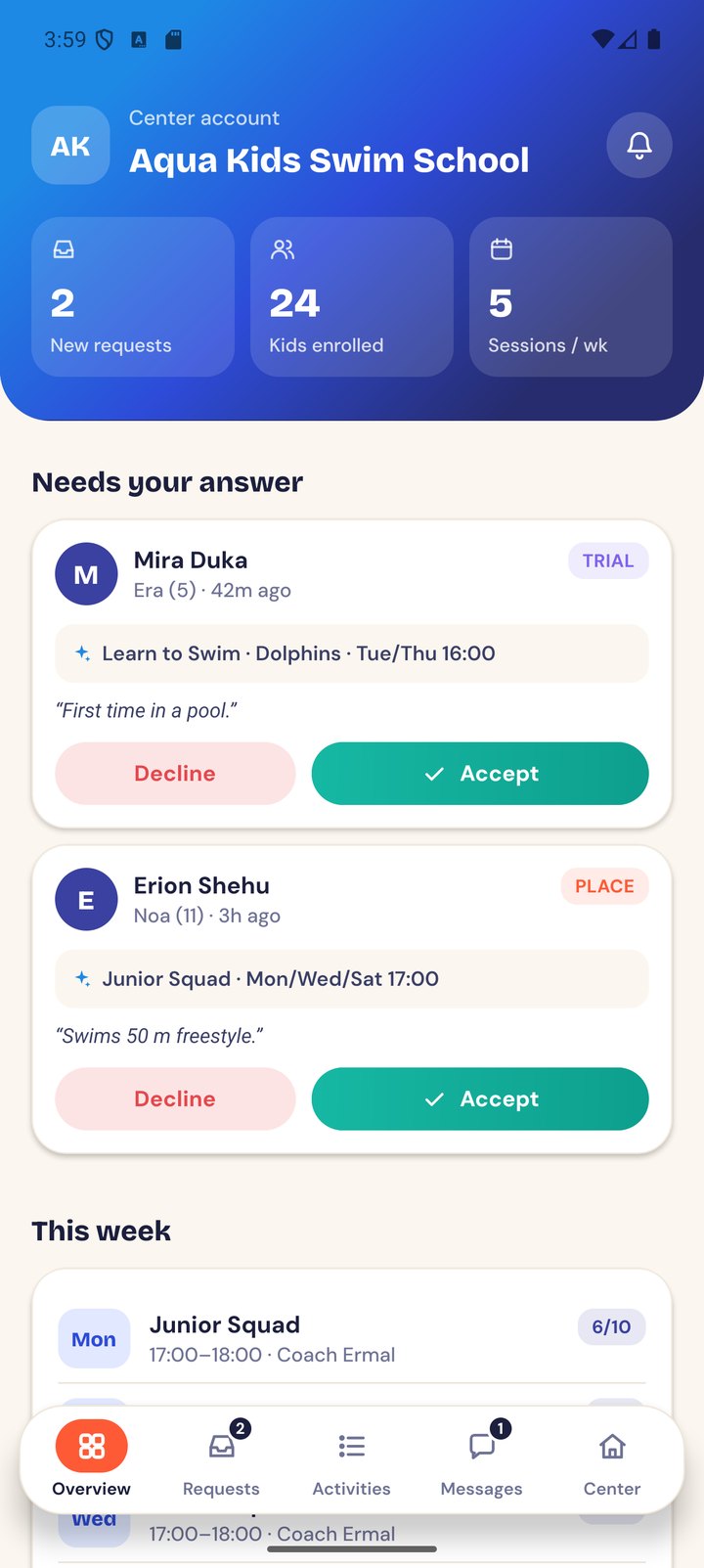
  • Overview: new requests, enrolled kids, weekly sessions
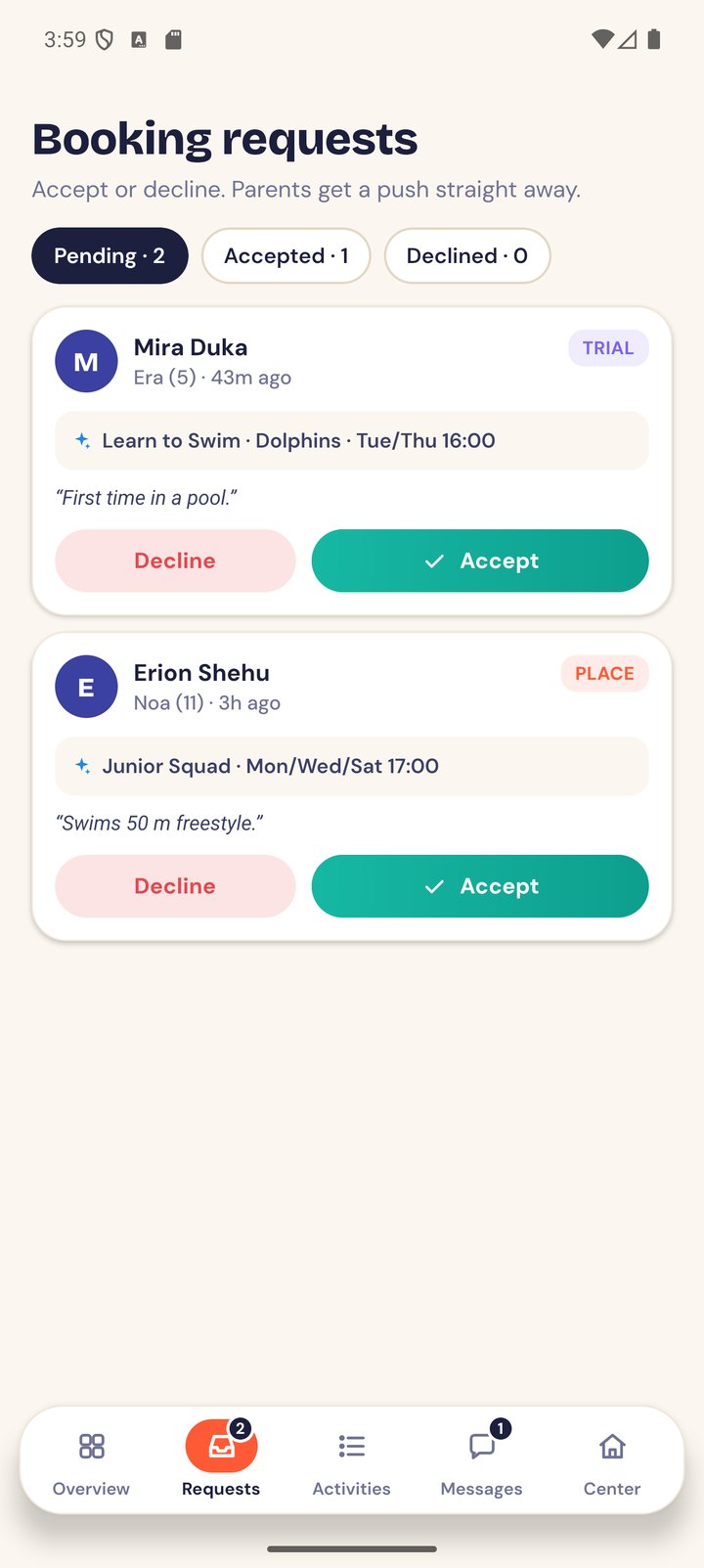
  • Accept or decline requests; the parent is notified
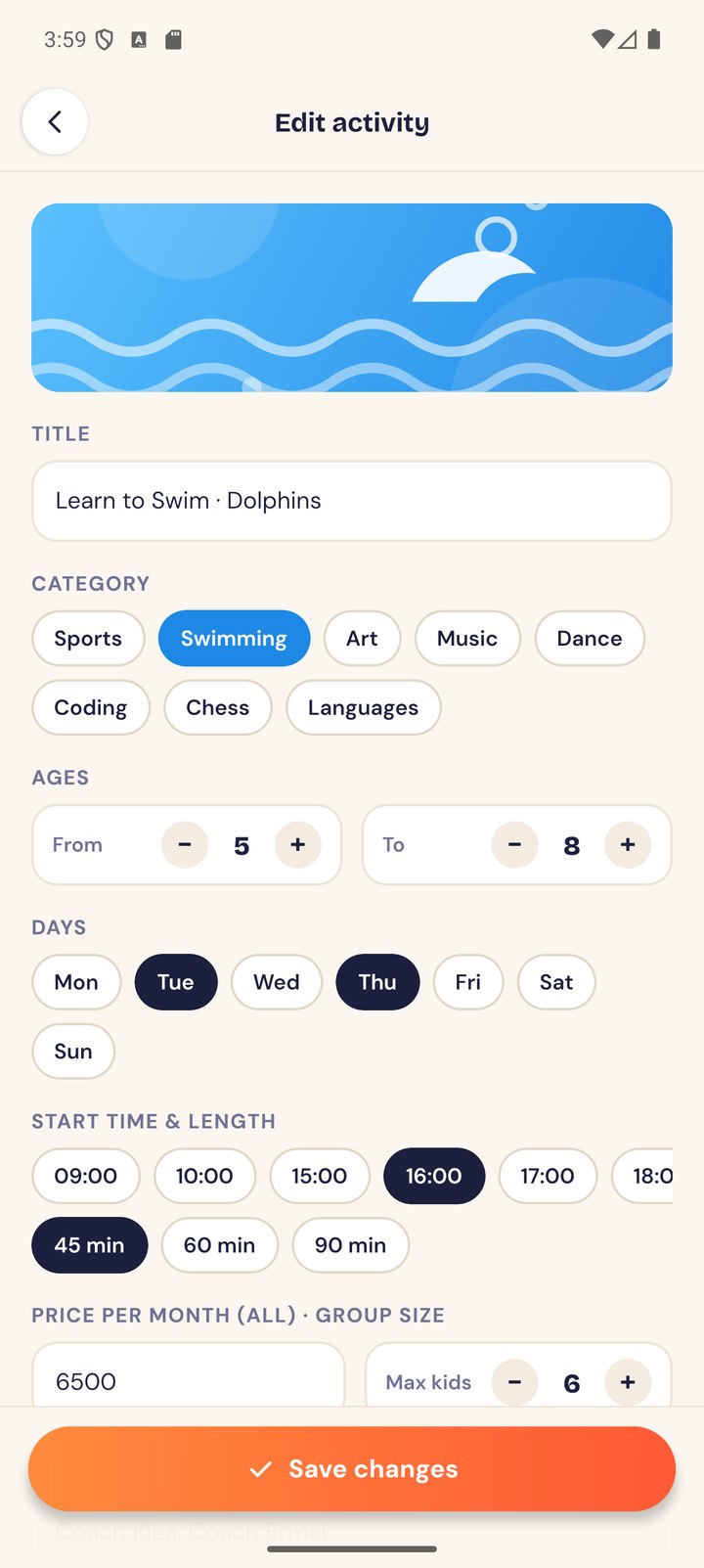
  • Add and edit activities: ages, days, times, price, group size, staff, photos, visibility
  • Center profile with description, map address, contacts and gallery
  • Reply to parents’ messages
Admin (web)

Stay in control

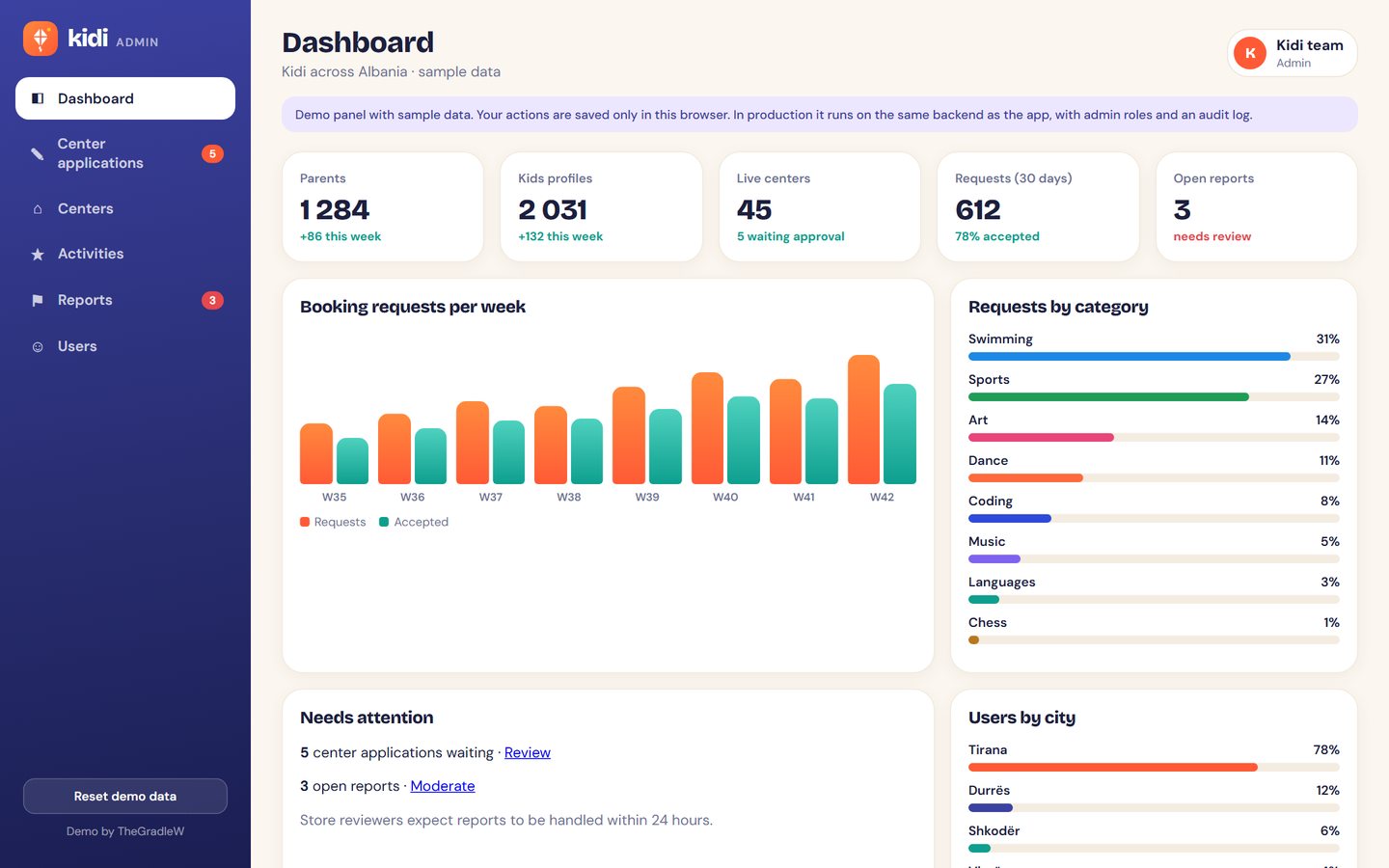
  • Approve or reject center applications, with a reason
  • View, edit or hide centers and activities
  • Reports queue: dismiss, remove message, block user
  • Users: block/unblock, GDPR data export
  • Basic numbers: users, centers, requests, categories, cities
Open the admin panel →

Screens

Clean, friendly and the same everywhere

One design system: warm paper background, coral for actions, a colour per activity type, Bricolage Grotesque headings and DM Sans text.

2-minute walkthrough on Android

Filter for Ana and “Fits our week”, find Baby Ballet on the map, send a trial request, and the center accepts with a push. Then the family calendar, a chat with report and block, the family profile, and the center side accepting a request and editing an activity.

Screen recording of the release APK on an Android emulator (Pixel 8 Pro), played at 1.35× speed. The screenshots below are from the same run.

Kidi admin dashboard

How we would build it

From clickable mockups to both stores

1

Interactive mockups

Figma prototype of every parent, center and admin screen, built on a shared design system. We iterate with you in weekly calls until you sign off.

2 weeks
2

Production app + admin panel

React Native (Expo) app and the web admin on a backend in the EU, with real auth, maps, chat, push, test and live environments.

7 weeks
3

Testing

Automated tests for the booking, schedule and chat logic, device testing on iOS and Android, and a TestFlight / Play closed beta with your team.

2 weeks
4

Store submission until live

Store listings, privacy forms, reviewer demo accounts, Albanian text, and every resubmission until both stores approve.

1–2 weeks + review time

Proposed stack

React Native + Expo (EAS Build & Submit)TypeScriptSupabase in the EU (Frankfurt): Postgres + PostGIS, Auth, Realtime, Storage Sign in with Apple / Google / emailExpo Notifications (APNs + FCM)Google Maps + PlacesSentry crash reportingi18next (EN → SQ)React admin panel

Why: managed services that scale to thousands of parents without a server team, data kept in the EU for GDPR, row-level security so parents, guardians, centers and admins only see what they should, and plain Postgres underneath so nothing is locked in.

What is real here, and what is simulated

Working in this demo

  • All screens and flows above, in the app and the browser build
  • Schedule-fit, age and distance logic
  • Request → accept/decline → notification → calendar
  • Chat with report and block
  • Admin approvals, hiding, moderation, blocking

Simulated for the demo

  • Data lives on your device, not on a server
  • Map is an illustration of central Tirana (production: Google Maps)
  • Push notifications are in-app banners (production: APNs/FCM)
  • Sign-in buttons do not create real accounts
  • Photos are illustrations; Albanian strings are a draft preview